
Users & Permissions
Your team, your rules.
Invite staff by email, assign the right role, and let them work without giving away the keys. Every action gets logged so you always know who did what.
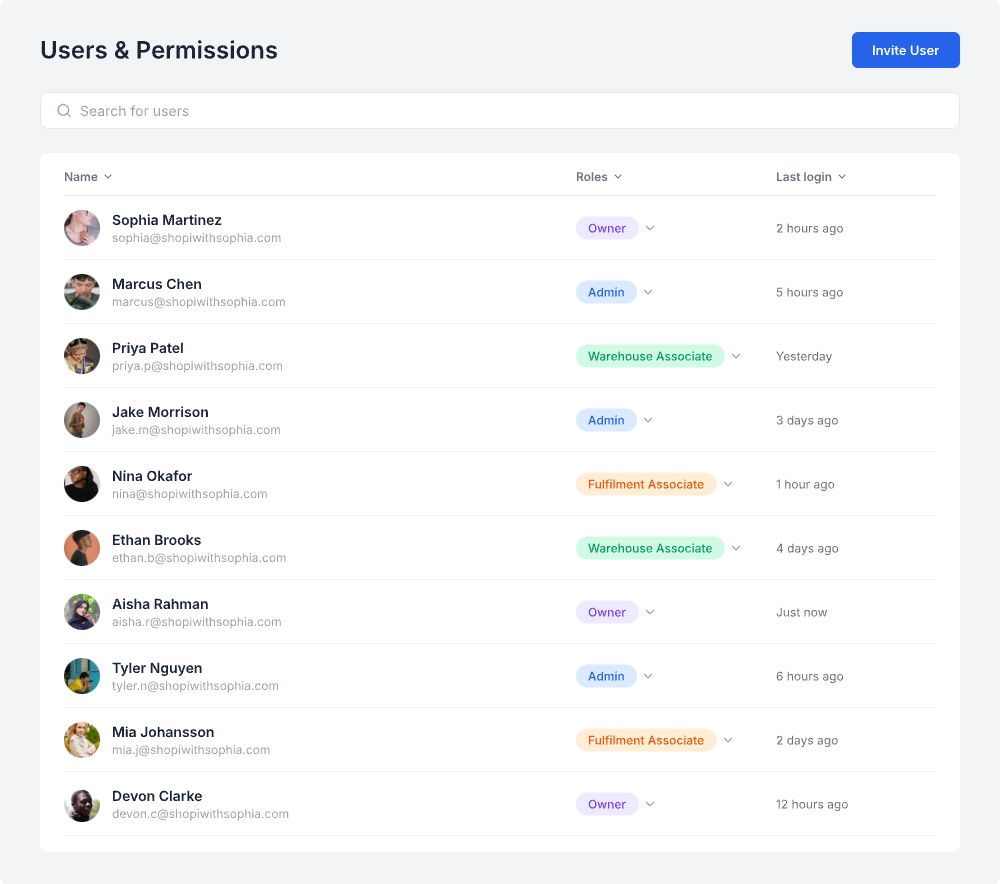
Delegate work, keep control
When it's just you, permissions don't matter. But the moment you bring on staff to help with packing, inventory, or running live shows, you need to control who can do what. Buy Social has six roles that let you give people exactly the access they need and nothing more.
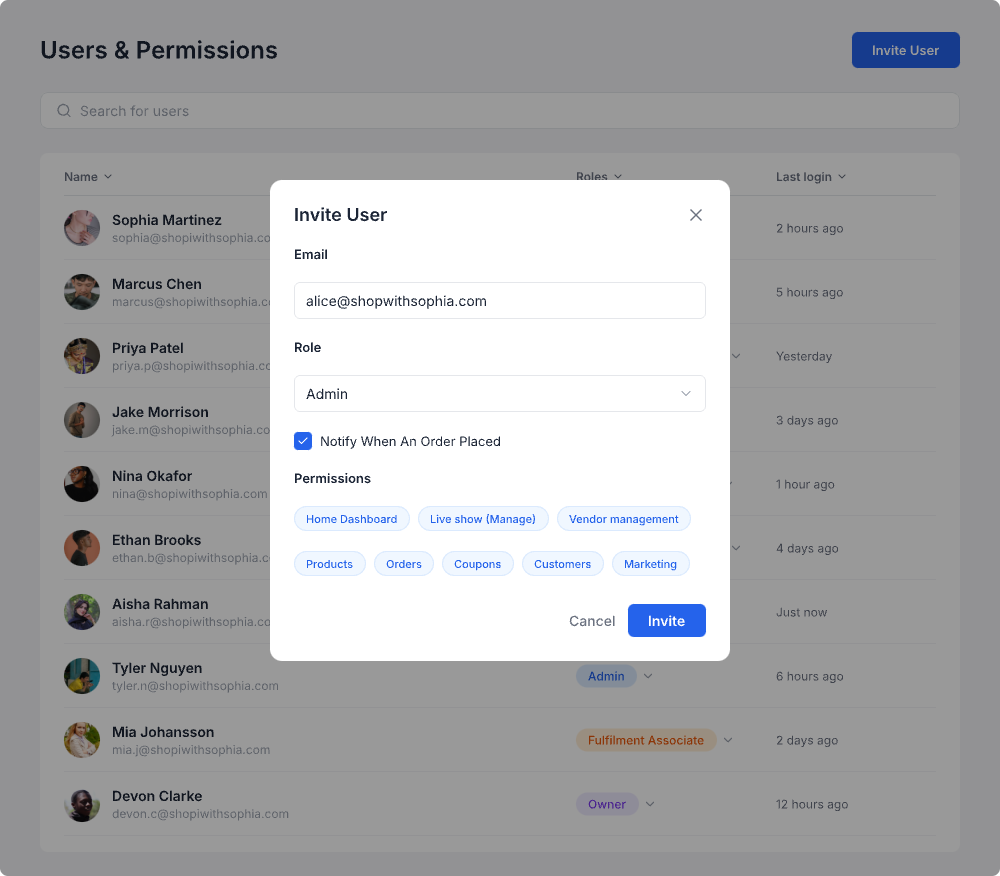
Invite anyone in 30 seconds
Enter their email, pick a role, and hit Invite. They get a link to set up their account. You can also toggle order notifications so warehouse staff get pinged the moment a new order comes in. Change roles or revoke access anytime from the same screen.
Every action, logged
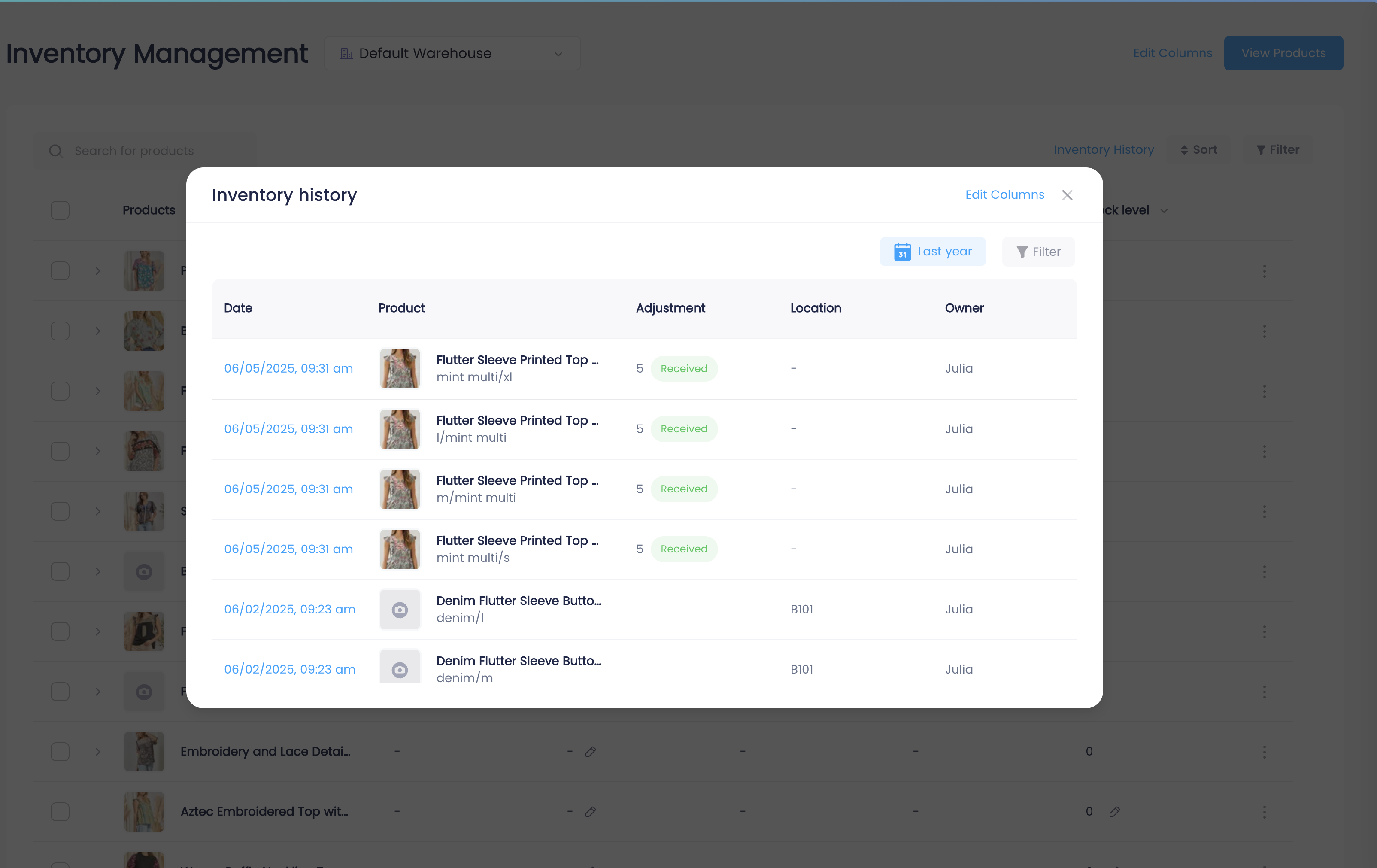
Buy Social tracks what every user does. Open the inventory history and you can see who received stock, who changed a price, who adjusted a quantity, and when they did it. If something looks off with a product, you don't have to ask around. The log tells you exactly what happened.
Six roles, from full access to inventory only
Each role has a clear scope. Your warehouse staff shouldn't see customer payment info, and your fulfillment associate doesn't need to edit product pricing.
Owner
Full access to everything. Billing, settings, user management, and all store operations.
Admin
Same as Owner minus billing and account deletion. Can manage users, products, orders, and live shows.
Admin Associate
Day-to-day store operations. Products, orders, customers, and live shows. No access to billing or user management.
Warehouse Manager
Inventory and fulfillment. Can receive stock, adjust quantities, manage warehouse locations, and process shipments.
Fulfillment Associate
Pick, pack, and ship. Can view orders, print labels, and mark orders as shipped. No product or pricing access.
Warehouse Associate
Receive and count inventory. Can update stock levels and scan barcodes. No order or customer access.
More granular permissions are on the roadmap. These six roles cover most team structures today.
Team management for live sellers
Email-based invites
Enter an email, pick a role, and send the invite. No account setup on your end. The invited user creates their own password.
Role-based access
Six roles from Owner to Warehouse Associate. Each one limits what the user can see and do. No need to explain what not to touch.
Order notifications
Toggle order notifications per user. Your warehouse team gets notified when a new order comes in so they can start packing without checking the dashboard.
Full audit log
Every inventory change, price update, and product edit gets logged with the user who made it. Open inventory history and you can trace any change back to a person and a timestamp.
Change roles anytime
Promoted someone? Brought on a temp for the holiday rush? Change their role or revoke access from the users screen. Takes effect immediately.
No per-seat fees
Add as many team members as you need. Buy Social doesn't charge per user. Your plan price stays the same whether you have 2 people or 20.
How sellers use team permissions
Boutique with part-time help
You run the live shows and handle customers. Your part-timer packs and ships orders. Give them Fulfillment Associate access so they can see orders and print labels without touching products or pricing.
Growing operation with warehouse staff
You have people receiving inventory, people packing orders, and someone managing it all. Warehouse Manager for your lead, Warehouse Associate for receiving, Fulfillment Associate for shipping. Everyone sees what they need.
Multi-admin team
You and a business partner both run the store. Make both accounts Admin. If you have assistants who help with day-to-day but shouldn't manage billing, Admin Associate keeps them out of the sensitive stuff.
Team management on every plan
Users and permissions are included on all paid plans. No per-seat charges.
Free Trial
$0
Owner only
Startup
$99/mo
Unlimited users, all roles
Business
$299/mo
Unlimited users, all roles
Enterprise
Custom
Unlimited users, all roles
Questions & answers
Everything you need to know about users and permissions
Bring your team on board.
Invite staff, assign roles, and track every change. No per-seat fees, no limits on users.